 BattleKnight
What oBot for BattleKnight is
oBot for BattleKnight is an assistant that runs inside the game tab, thanks to the Tampermonkey extension. It sends your knight on a mission as soon as it is back in the village, sends it to work when mission points run out and collects the pay, trains the attributes and keeps a karma power always active. It waits for the game timers just like a player would.
First steps
- Install Tampermonkey and the script. Install the Tampermonkey extension in Chrome or Firefox, then open https://js.obot.it/battleknight/obot-battleknight.user.js and press Install. Details are in the Installation section.
- Enter your BattleKnight server. The oBot button appears on the page: open it. The first time, the bot creates your oBot account by itself, with no sign-up, with a 3-day premium trial.
- Press «Set up the bot» in Home (or open the Settings tab), then Recommended settings in the bar at the bottom: the form is filled with the recommended choices (see below).
- Check the choices group by group: karma side, minimum health, work and equipment, which spends silver. Then press Save: the bot starts within a few seconds.
- Link Telegram (recommended) to know on your phone when your knight levels up, when someone challenges you and how the day went: see the Telegram section.
Saving is always explicit
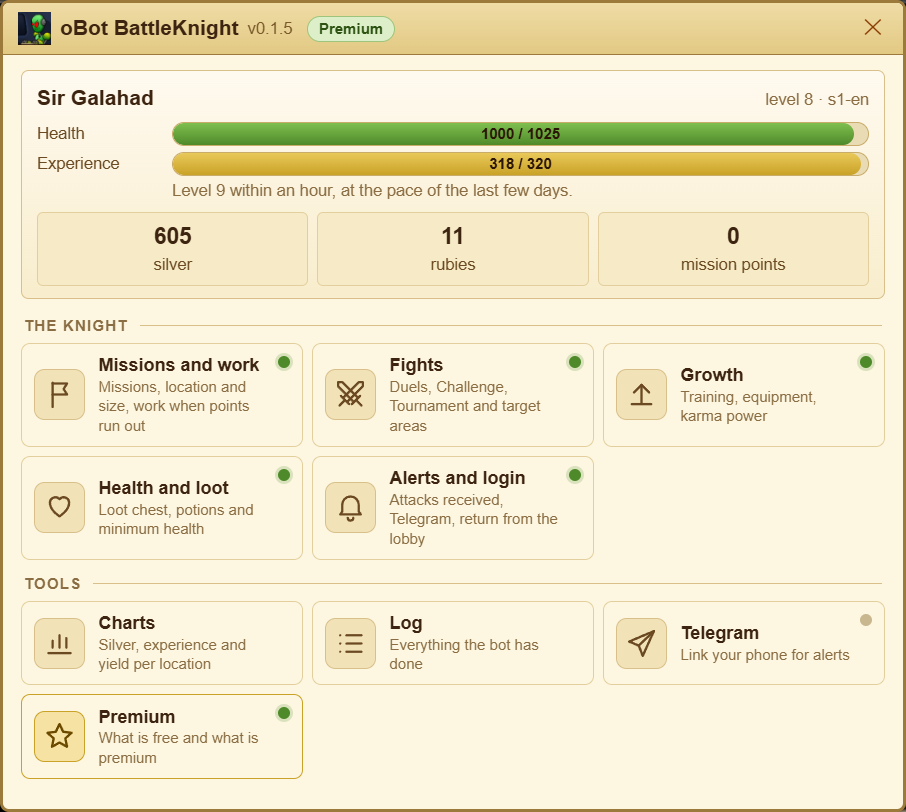
The panel
Home
Settings
Premium
Telegram
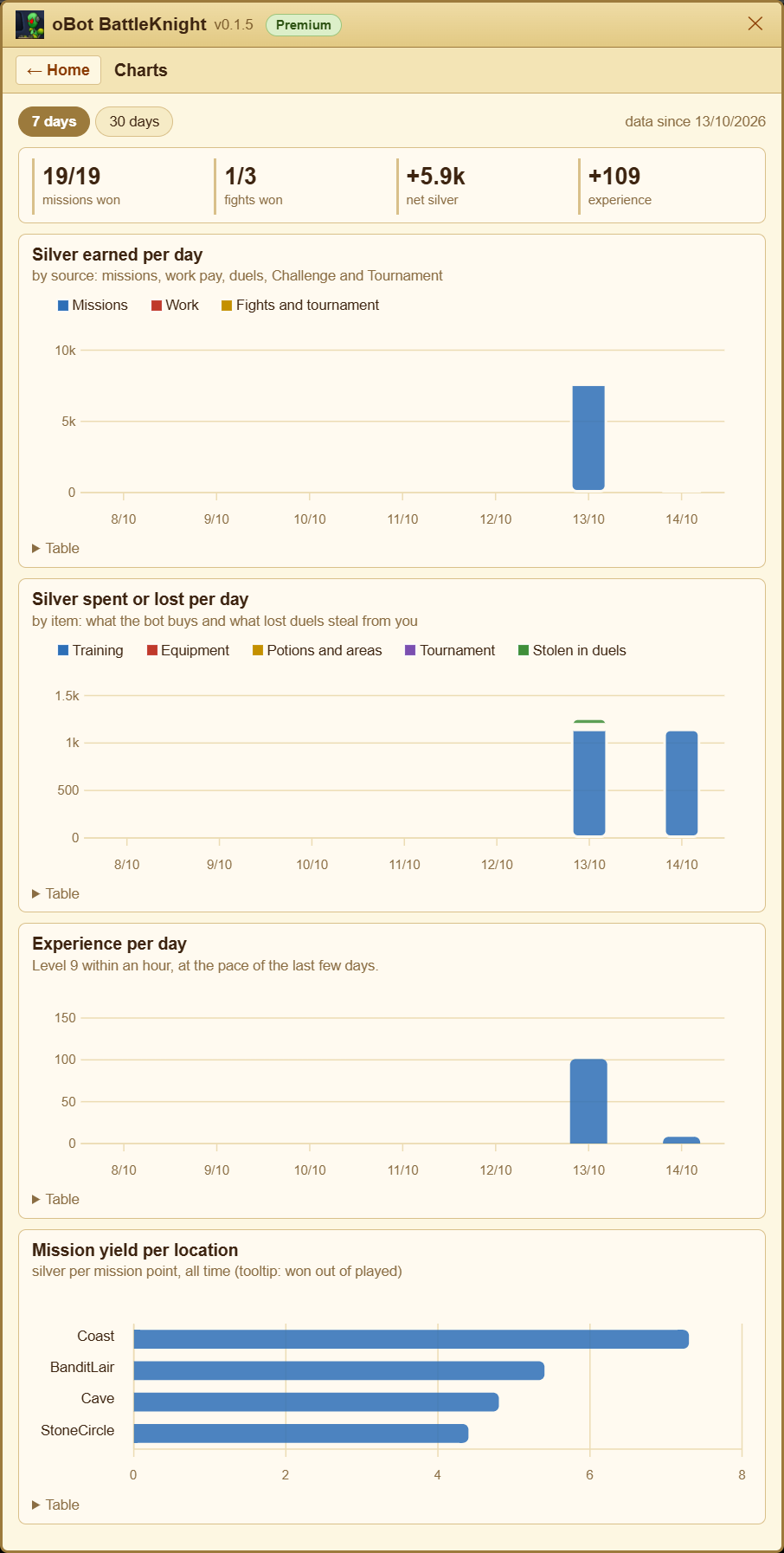
Charts
Log
Status bar
Version and news
Every page opens with three lines: What for, How to start and Good to know; once read, close them with Hide this explanation. Under each option it says what it does; premium options carry the Premium label. Changes you have not saved yet are not lost when the bot refreshes the panel.
Recommended settings
The Recommended settings button, in the bar at the bottom of the Settings tab, fills the form like this, without saving:
- the options of the recommended profile for your knight (see Ready profiles below), with numbers adapted to it;
- automatic mission location and automatic return on;
- Telegram messages (level up, duels received, evening summary), if Telegram is already linked.
Ready profiles
At the top of the Settings page four profiles set every feature in one click. Before saving, the bot shows what changes and keeps your previous settings aside: restore them with Back to previous settings. The silver reserve is measured on the real price of one training; karma side, location and Telegram alerts stay yours. Never rubies.
- Growth: missions, work, duels, Challenge and Tournament; silver goes into training and equipment, keeping one training in reserve.
- Duelist: like Growth, but silver is spent right away (whoever beats you steals what you carry) and fights start with at least half health.
- Missions and silver: missions and work (free), no training and no fights; equipment is bought above a reserve.
- Careful: no duels, Challenge or Tournament, missions only with plenty of health, potions, attack alerts on Telegram and, on the good side, the karma power that makes you immune to attacks as soon as the points are enough.
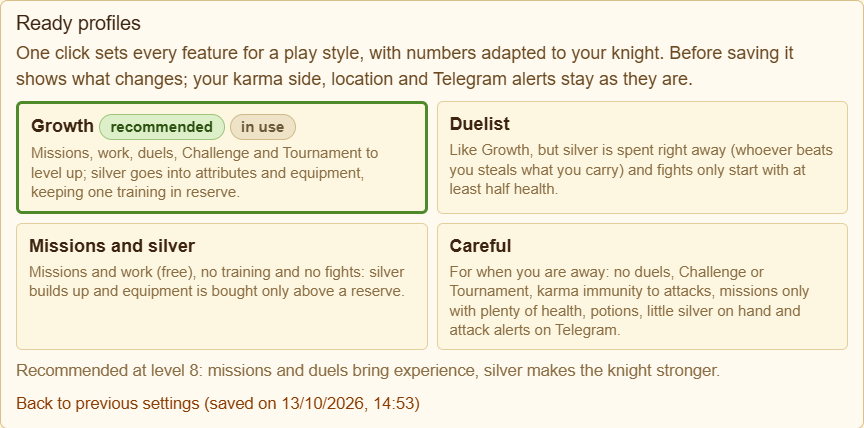
The profile marked recommended is picked by the bot from your knight: without premium Missions and silver, with low health or many fights lost in the last 7 days Careful, with many won Duelist, otherwise Growth. If the advice changes, Home tells you.
Bot language
The bot starts in the server language. In Settings → Alerts and login → Bot language you can pick another one (for example an English server with the bot in Italian): it applies to the panel, the log and Telegram messages. Today the bot speaks Italian and English; other languages use English.
Karma side and type of work stay as you chose them: you decide whether your knight follows the light or the darkness.
Free and premium
Free
- Automatic missions
- Work when mission points run out, with pay collection
- Automatic re-entry when the session expires
- Telegram notifications and link, evening summary, log
- Mission place chosen by yield
- Loot chest emptied into the bag and potions at low health
- Notification of duels received and the King’s laws in the panel
- Game mail reading
Premium
- Automatic attribute training
- Better equipment bought, worn and sold by itself
- Karma power always active
- Automatic duels and Challenge
- Buying potions from the merchant, with silver only
- Target areas changed every day
Premium applies to your BattleKnight oBot account (the other games have their own); packages and prices are the same for all oBot bots. Every new account has a 3-day trial with everything on. Details in the Premium section.
How it works
- The bot works only with a game tab open, even in the background. With the browser closed, the PC asleep or the tab suspended by Chrome nothing happens: see the FAQ The bot stopped for hours.
- With several tabs open only one works: the others wait, so the same mission never starts twice.
- Requests go out one at a time, respecting the game’s waiting times.
- Settings are stored on the oBot server, tied to your game account: they survive a reinstall or a different PC.
- The panel is in Italian on Italian servers and in English on all the others.
- Updates arrive by themselves through Tampermonkey; before running new code the bot checks its fingerprint.